Microsoft 365 Licensing Optimization: Hidden Cost Savings for Large Organizations
Unlock significant cost savings by optimizing your Microsoft 365 licensing strategy—most organizations overspend by 30-40%.
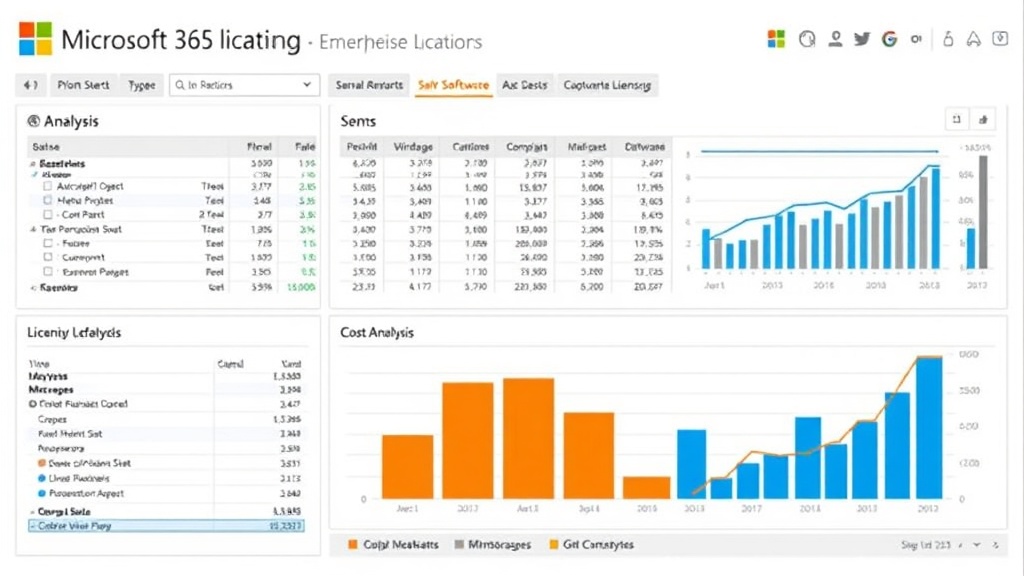
Most organizations throw millions at Microsoft 365 without understanding their licensing footprint. We’ve found that 70% of enterprises overspend by $500K-$5M+ annually due to misalignment between licensing and actual usage.
The Microsoft 365 Licensing Complexity
Microsoft 365 offers hundreds of SKUs across multiple service tiers. Without governance, organizations:
- Over-license for features never used
- Under-utilize high-cost licenses
- Maintain legacy licenses for obsolete use cases
- Miss shared services benefits
Common Overspend Scenarios
Scenario 1: Blanket Enterprise Licensing
Problem: All users on Enterprise tier because “we need everything.”
Reality:
- 30-40% of users need only basic email + productivity (Business Basic)
- 20-30% could optimize from Enterprise to Standard
- Shared workload licensing (resource accounts) could reduce by 15-20%
Savings: 25-35% of Microsoft 365 budget
Scenario 2: Duplicate Productivity Tools
Problem: Teams AND Slack, SharePoint AND Confluence, etc.
Reality:
- Modern Microsoft 365 is integrated and competitive
- Maintaining parallel tools is expensive and creates friction
- Consolidation on native Microsoft tools typically saves 40-60% on collaboration
Savings: 10-20% of IT software budget
Scenario 3: Standalone Licenses for Included Features
Problem: Paying separately for backup, eDiscovery, security features included in higher-tier licenses.
Reality:
- Advanced Threat Protection, Advanced Email Protection, etc. often included in Enterprise tier
- Backup and recovery often included or available as add-on
- Security licenses should be evaluated for ROI vs. included features
Savings: 5-15% of security software budget
Scenario 4: Unmapped Project or Visio Usage
Problem: Paying per-user for tools that only 10% of organization actually uses.
Reality:
- Project and Visio subscriptions are expensive ($720+ annually per user)
- Most organizations can consolidate to 5-10 dedicated users
- Remaining users can use free web versions or built-in Office capabilities
Savings: 20-40% of Project/Visio budget
The Optimization Framework
Step 1: Audit Current State (2-3 weeks)
- Extract license usage from Microsoft 365 Admin Center
- Map users to current licenses
- Identify shared mailbox, resource account, and service account licenses
- Calculate current spend
Step 2: Establish Usage Baseline (1 month)
- Tool adoption metrics (Teams vs. Outlook, SharePoint usage, etc.)
- Feature utilization (who uses advanced security features?)
- Workload classification (power users, standard users, light users)
- Business context (department, role, criticality)
Step 3: Design Optimized Licensing Model
- Define user tiers based on actual needs
- Recommend right-sizing per tier
- Identify consolidation opportunities
- Project optimized spend
Example Right-Sizing:
- Executives: 100 users × Microsoft 365 E5 = $22,000/month
- Knowledge workers: 500 users × E3 = $27,500/month
- Light users: 200 users × E1 = $5,600/month
- Service accounts: 50 shared mailboxes = $2,500/month
Total: $57,600/month ($691K annually)
Many organizations pay this for only 400 users because they didn’t segment properly.
Step 4: Implement Governance
- Define licensing policies by role
- Create intake process for new licenses
- Quarterly audits for compliance
- Finance integration for cost tracking
Step 5: Migrate to Optimized Model
- Phase migration by user segment
- Communicate changes and benefits
- Monitor adoption and support users
- Track realized savings
Unlocking Hidden Value
Beyond cost reduction, optimization unlocks value:
Security Posture Improvement
- Right-sized licenses often include advanced security features not previously deployed
- Investment in security actually decreases with optimization
Feature Adoption
- Right-sizing enables deployment of collaboration and analytics tools (Power BI, Power Automate)
- Improved feature adoption improves productivity
Operational Efficiency
- Licensing governance improves IT operational efficiency
- Better visibility into tool adoption
Real-World Results
Enterprise with 3,000 users:
- Starting spend: $2.8M annually
- Licensing audit revealed heavy E5 over-licensing
- Optimization model: Mix of E3 (60%), E1 (30%), E5 (10%), plus governance
- New spend: $1.9M annually
- Annual savings: $900K
- Payback on engagement: 2 months
Typical Savings by Organization Size
- 500 users: $150K-$300K annually
- 1,000 users: $300K-$600K annually
- 2,500 users: $750K-$1.5M annually
- 5,000+ users: $2M-$5M+ annually
The Right Approach
Most organizations should segment users into 3-4 tiers:
- Power Users (10-15%): E5 license + advanced features
- Standard Users (60-70%): E3 license
- Light Users (15-25%): E1 license
- Service/Shared (5%): Shared mailbox licensing
This segmentation typically reduces spend by 30-40% while improving feature adoption.
Implementation Timeline
- Month 1: Audit and baseline
- Month 2: Governance framework
- Month 3: Pilot migration
- Month 4: Full implementation
- Ongoing: Quarterly reviews and optimization
Start recovering your overspend today. Let’s audit your current licensing and design your optimization strategy.
About This Article
This article is part of Grupo Cidelo's enterprise consulting insights series. We help organizations navigate complex transformations across business automation, enterprise sales, cloud infrastructure, and digital transformation.